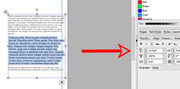
<![CDATA[Alfred's Serif Users' Forums — selecting a font size]]>2024-11-16T06:17:53ZPunBBhttps://punster.me/serif/viewtopic.php?id=807<![CDATA[Re: selecting a font size]]>Tom also mentioned that you can do the same using the context toolbar, ie the one that appears at the top of the screen when any text is selected. It shows the font and its size (amongst other things). If the size box is blank, it means that the text selected is not all the same size.]]>https://punster.me/serif/profile.php?id=92024-11-16T06:17:53Zhttps://punster.me/serif/viewtopic.php?pid=6061#p6061<![CDATA[Re: selecting a font size]]>Thanks GB, I never knew that, perfect and easy. I`ve still got a lot to learn ! Oh I see you also mentioned the character tab tom H , I missed that thanks again.]]>https://punster.me/serif/profile.php?id=7362024-11-16T04:39:57Zhttps://punster.me/serif/viewtopic.php?pid=6060#p6060<![CDATA[Re: selecting a font size]]>Select the text, go to the Character tab, and type in the font size you want.
]]>https://punster.me/serif/profile.php?id=92024-11-15T18:56:18Zhttps://punster.me/serif/viewtopic.php?pid=6051#p6051<![CDATA[Re: selecting a font size]]>Thanks tomH. I tried that but it still will only allow me to increase the size to what is there . I discovered that if I right click on the text > size text> enlarge text, it will increase it slightly but I have to repeat this over and over again to get from 72 to 100 . I thought there was a way I could just change the 72 number to 100 and it would automatically resize but don`t see a way to do that quickly]]>https://punster.me/serif/profile.php?id=7362024-11-15T16:35:15Zhttps://punster.me/serif/viewtopic.php?pid=6049#p6049<![CDATA[Re: selecting a font size]]>Sure, there are several ways. Select your text (or the text box or Artistic text) and then click Format>Character>Font; or Format>Size Text. You can use the Character tab to change the font. Or, on the toolbar, with the text box or text selected, you will see the font's name and the font size—change it there.]]>https://punster.me/serif/profile.php?id=72024-11-15T11:09:22Zhttps://punster.me/serif/viewtopic.php?pid=6045#p6045<![CDATA[selecting a font size]]>I`m wondering if it sis possible to select a different font size . I can select 72 which is too small and the next size is 120 which is too large. is there a way to choose 90, or 100 ?]]>https://punster.me/serif/profile.php?id=7362024-11-15T06:57:07Zhttps://punster.me/serif/viewtopic.php?pid=6042#p6042