Thank you so much for your patience with me.
It seems that I am unable to understand your instructions. But if you are also saying that if the master page is long, (and mines is very long), putting the video clip on it won't work.

Then I should ask, do you know how I can put an animated video clip on a long master page that will fill it and look normal, and not distorted? Is there a software I can use?  Or do I have to find a video clip that is the same dimensions as my long master page.
If that can't be done, are you saying that the only thing I can do is use a solid color for the master page background?

What can I do to create a nice background for the site. Of must it just be solid color.

Hi Joe: Yes I did download your file but as I followed your steps, the HTML Source was not active (see below) And I did not understand you "to scroll the video with the page comment. (see below) Thanks.

"Copy the following and right Click the page > View > HTML Source. "

(I right clicked and did view but the "HTML Source" is not active it is greyed out.)

"To scroll the video with the page,"

(not sure what this means, since I want the video to fill the page)

GB as you can see from the attachments, there is no edit option below my post. only add image to post, submit and preview.


https://i.postimg.cc/v4GJMX7b/screen-shot-showing-no-edit-option.jpg

CORRECTION, I see it now, it is available after I post not during. So I am uploading the single title video file that I want to put in my master page to make it the animated background for my site. Please give me the steps.

Joe said: To this end I renamed your file to motionvid.mp4 (done) and loaded it into the attached file (???). I pasted the HTML code fragment to the master page, and the video code fragment to

<!--Master A Body Start--> (????) Sorry but this is not clear to me. apparently I am not as informed and need clearer detailed steps.

"If it's only .99Mb can you upload it with your next post? Use the attachments, browse button and add file buttons located above the submit reply button."

This option only allows for images not video files.

Copy the following and right Click the page > View > HTML Source.
<video playsinline autoplay muted loop id="bgvid">
           <source src="hologram.mp4" type="video/mp4">
        </video>

Hi Alfred, when I right click, view the HTML Source is not active, it is greyed out.

The Video is an MP4 file. the name is "motion background 1097827033"
size: 0.99MB
Length:00:00:07
I don't see and attach option. Only add image to post

"Change video source ( hologram.mp4) to your video id's"
Joe How do I do this? The video is an mp4 video.
Sorry but I am not as savvy in this kind of thing that you are. Kid gloves please.
The video size is 0.99MB
LENGTH:00:00:07
HIGHT: 480 WIDTH: 852
FILE NAME: Motion background 1097827033(1)
SITE MASTER PAGE IS: HIGHT 6000 WIDTH: 1024

Not sure if you need any more detail. Let me know if you do.
Thank you so much.

Hi Serif family, I have a good question for you. hope someone has the answer.
How do I add an animated video clip as website background to my master page
so that is shows on all of my site pages. It is a very short clip and I want it to loop
so that my background will be animated.
But it has to be adjustable to to fit full page from below my navigation bar to bottom of page. Is there a way to do this?

CORRECT Thank you so sorry. will head over to Webplus

Hey Serif Family:
Here is a good one for you.

is there a way within Web_plus x8 to turn off the auto play of embedded links?
Rumble has an auto play in their videos that I don't want showing up in my embedded Rumble linked videos on my site page.
If not, it there a way to turn off auto play within my Rumble account so that other videos will not auto play after I watch my video?

Hi Serif family, I have a good question for you. hope someone has the answer.
How do I add an animated video clip as website background to my master page
so that is shows on all of my site pages. It is a very short clip and I want it to loop
so that my background will be animated.

37

(11 replies, posted in WebPlus)

I tried your suggestions Alfred, but got this warning message:

https://i.postimg.cc/vDfsBgkf/I-tried-your-suggestion-Alfred-but-still-got-error-message.png

38

(11 replies, posted in WebPlus)

Sorry Alfred, I saved the *.txt  file in a folder but when I go to the folder to try to attach in here it is not visible in the folder. is there another way I am supposed to access it to attach it here?

39

(11 replies, posted in WebPlus)

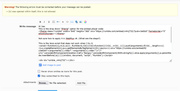
Hi Alfred: I tried again. both preview and submit gets the warning. see attachment. I pressed submit a second time but it still gave the warning.
https://i.postimg.cc/G4PmMkzX/error-warning-issue-serif-Alfred.png

I will try again using your note pad option. Thanks much Alfred.

This forum is a major blessing. You deserve an award!

40

(11 replies, posted in WebPlus)

Hi Joe:
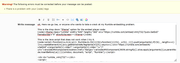
I tried to post a reply including the codes you requested, but I got this error message:
"Warning! The following errors must be corrected before your message can be posted:
"b" was opened within itself, this is not allowed"

Even when I tried to add the codes as attachments of screen shots I get the error and it won't post for some reason.

41

(11 replies, posted in WebPlus)

Thanks Joe, Follow up question, you said make sure the video is "public". But I thought I can set it as "unlisted" and that way it can only be viewed via the link.  I want it to be viewable only on my site page via the embed link from rumble. If I choose "Public" won't it be accessible to anyone on rumble if they search for the title? (I don't want that, but If I have to set it as public for the embed to work I will).
By the way, your Iframe instructions worked perfectly with my unlisted setting.  However, most of my rumble videos are set to Private, and when I try to change the settings to "unlisted" it won't let me. I put the dot in the unlisted box and click save, and nothing happens, when I exit and go back to the video editing, settings, the dot is back on the private setting. not sure what is going on with that, but I need to know so I can change that setting.

Also, when I try to embed using the "Embed Player- javaScript" option, it shows the video screen but the video time shows 0:00 and it won't play. (my original issue which you gave me an alternative for, but I just thought I would ask how to get the Embed Player JavaScript to work if possible).

There is a drop down "Iframe" option for "embed player", (is that different from the Iframe option Below the embed player option?)
If so, Do I follow the same steps as I did with Iframe? (using document frame) or is there another way that I have to insert the "Iframe embed Player" option?
thanks. You all a are amazing, Please let me know how I can do more to help with this Serif family here. THIS IS A MUCH NEEDED FORUM FOR THE SERIF FAMILY.


42

(11 replies, posted in WebPlus)

Hey Serif family. Got a strange issue using WebPlus x8 embed tool. For some reason the embeded Rumble.com video is showing on my web page as 0:00 and will not play. Is it because the embed tool on Web Plus is outdated? (Can't be because my other Rumble.com embeded videos are working fine).
Not sure what to do. Is there another way I can embed my Rumble.com videos in my WebPlus x8 page? 
Note I only tried the embed by the using the Webplus x8 previews. Not sure if that makes a difference.
I don't want to publish until I am sure it is working.
Thanks so much.

43

(1 replies, posted in WebPlus)

Hey serif family. I need suggestions and help with my issue concerning my massive use of "insert youtube video"
I have lots of youtube links on my site pages so that I would not have to upload actual videos that would hog up my bandwith.
But in spite of not having any uploaded videos on my site, my serif webplus x8 is sluggish while I am trying to edit and update my pages. Not sure why that is. I would appreciate any suggestions.
My online site is working fine, but my webplusx8 stalls and freezes while I am working on it and I am not sure why.
I have plenty of memory on my laptop, so that can't be the issue. thanks

44

(3 replies, posted in MoviePlus)

Is there a way to extend a photo across from one end to the other without having to click hold and drag for an hour to get the photo to extend? See attachment.

I know I can do it by holding down left click and dragging forever until I reach the end, but there has got to be a quicker way to do this. HELP!

https://i.postimg.cc/4HytCFZT/how-to-stretch-photo-without-click-hold-and-drag-for-an-hour.png

Hey all. I just found you and I am so glad to be reconnected with my serif family.
I have a minor mystery i need help with. I made 4 video/audio tracks so I could cut up a long file into smaller ones. and put them on separate tracks.
As I clipped the long file and moved the clipped piece to another track, I play them to make sure they are okay. all goes well for a while but around the third clip, after I place it on a new track, after I go back to the original long file on the timeline and play it. It will not start at the beginning, it jumps to like the 35 minute point and will start playing that point forward. It will not let me play the beginning of the file.

Another time this happened, it played from the beginning but the audio was the sound from the 35 minute point not the beginning.

I just need to understand why this happens and how I can prevent it or correct it.