UPDATE: The function I was needing is called Complex Signature Pagination, and not even InDesign offers it. But I did find a website that does it for free. It goes beyond imposition. This is definitely complex.
Here is the link to the Reddit article that led me to the solution. There is some valuable information in it for bookbinders.
https://www.reddit.com/r/bookbinding/co … t/ixf886u/
Here is the link to the website that I would do the complex signature pagination function, if anyone is in need of this.
https://momijizukamori.github.io/bookbi … igLength=0
I am using PagePlus X9. I love this program to the moon and back. However, I am trying to print a book that is 168 pages long. Broken down it is 42 pages 8.5 x 11, 2 pages up, front and back making it a total of 4 numbered pages on each 8.5 x 11 sheet. Because I will be sewing the signatures, I am using the right side booklet option when I set up the document. If I use the book function, I would have to do a "perfect bind" which does not allow me to create a "lay flat" design. But sewing signatures into a text block does.
My problem is this.
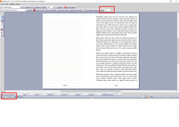
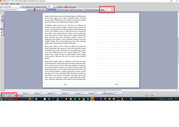
But when I go to print it, it prints wrong. The front side the page is 168,1 and the backside is 2,167.
I will be setting up 6 letter size pages in each signature. That should give me pages 1-24. (The paginated numbered pages). But because it is grabbing the back pages of the document, I can't create signatures for the sewn text block.
See attached examples.
I hope someone knows what I am talking about. Can you help?