Skip to forum content
Alfred's Serif Users' Forums
An independent forum site for members of the Serif software community
You are not logged in. Please login or register.
Active topics Unanswered topics
Tips and Announcements
Automated signup has been disabled for these forums. If you wish to register, please send an email to admin[at]punster[dot]me stating your preferred username.
Embedded images: Click on the  Add image to post link below the message box. Your photo will be uploaded to the postimage website and then shared here via a thumbnail link. Click on the thumbnail for a larger view.
Private messages: There is no pop-up alert for new PMs on these forums, so you need to look out for the PM link (near the top right-hand corner of any forum page) becoming bold.
HAPPY NEW YEAR!
Search options
I'm still a bit clumsy with it, what worked before, now doesn't. I still have to take the time to see the correct functioning of Filezilla.
I would like to delete everything, clean up in the file manager of my host, but I don't dare. I don't know what should and shouldn't remain.
I am a layman in this. But with your explanation and a bit of searching I succeeded. Copied the entire wpimages folder. That was faster than searching for a few photos. I am happy with it and thanks for the explanation. I have become a bit wiser :-)
It works, thanks! The pages I only wanted to change (not the entire site) I have uploaded to the host. Only a few photos that should be on it are still missing, but I still have to figure that out. But the basics work, I am happy with this. Greetings, Philip
I also can't log in via WebPlus X8, with FileZilla I can. But how do I get my customized website via FileZilla on my website. I see various folders, left on my PC and right at my host.
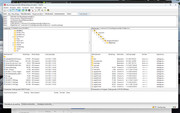
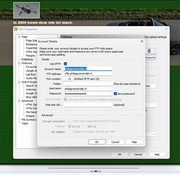
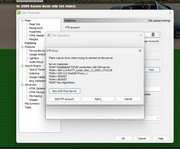
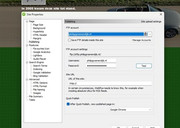
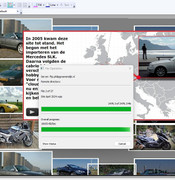
In September 2024 I had problems uploading, eventually after contacting one.com it worked. This week I wanted to upload a piece to my site again and failed again. Nothing had changed, the helpdesk indicates that the program is outdated, but it still worked until recently. Who can help me, what am I doing wrong? See my screenshots
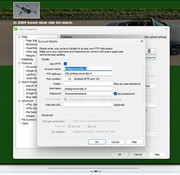
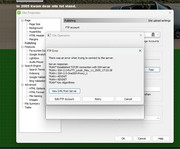
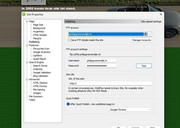
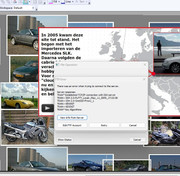
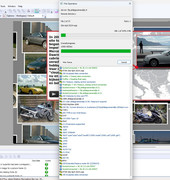
After several attempts, connecting with SFTP failed, see failed. You can also connect using FTP. This always went well before. Now after uploading it keeps trying again and again and after 3 times it stops. No idea what's going wrong. Is there anyone who understands the language in the attachment?
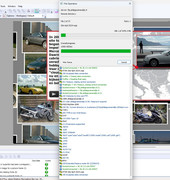
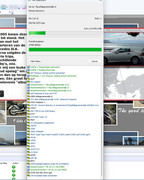
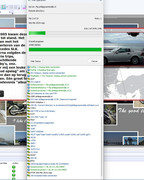
Does anyone see what is going wrong here, it keeps Retry 1x 2x etc. This is the setting with FTP checked. Connecting does not work with SFTP
Good day, I am new here to the forum. I came across this forum while searching for solutions for WebPlus X8. I have had WebPlus since 2007, after various updates, most recently X8. I use the website as a hobby, actually a storage for my hobbies so that I can easily look back. I am not a computer expert, so I don't know everything about difficult settings. WebPlus has always had some problems, but transferring everything on it to another software program is a big job as far as I know.
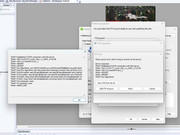
What's the problem, spontaneously occurring. When I upload SFTP I get an error message, see photo. When I upload with FTP I get a connection, but it keeps replying and no image appears on my site. You do see a frame, see also the photo.
What is going or am I doing wrong? The helpdesk of the website does not get any further.
I'm from the Netherlands, my English is not perfect, so I use Google Translate a lot.
Posts found: 9