1 (edited by Alan 2025-08-28 20:23:22)

Topic: Flowing Text through 5 Text Frames

Resurrecting an old site from 10 years ago, I had five frames where the text would overflow to the next frame. I was pleased to see the site still worked in modern browsers apart from the five frames of text which were showing a line space after each line so I removed the overflow and changed it to 5 separate text frames. Made no difference to the spacing problem which rectified itself somehow. So now I want to link the five frames as continuous flowing text again - but I can't seem to find how it's done. Any pointers?
Sorry for the long post, hope all is clear.
Webplus X7
The page in question is here: https://faze3.infy.uk/products.html


Re: Flowing Text through 5 Text Frames

I was just going to show my daughter the site I had been playing with and every browser for the url I posted is throwing up all sorts of security and unsafe site warnings. Is that what everyone else is seeing? All is well on my own computer.

Re: Flowing Text through 5 Text Frames

Alan wrote:

So now I want to link the five frames as continuous flowing text again - but I can't seem to find how it's done.

HTML doesn’t offer a means of specifying flowing text, so any text flow between frames will only happen within WebPlus. What kind of text objects have you used in your project?

Alan wrote:

I was just going to show my daughter the site I had been playing with and every browser for the url I posted is throwing up all sorts of security and unsafe site warnings. Is that what everyone else is seeing? All is well on my own computer.

I’m not seeing any security warnings in Firefox or Safari on iPad.

P.S. Your miniature bears look amazing!

“Welcome to the present moment. Here. Now. The only moment there ever is.”
― Eckhart Tolle

4 (edited by Alan 2025-08-30 14:59:41)

Re: Flowing Text through 5 Text Frames

The product list page basically has 5 text frames with lists of products in each. Originally I set them up so that if I remembered something I could just add it in alphabetical order and the excess line in that frame would just move to the next one. Can't for the life of me remember how I did it!
The little miniature bears were definitely popular in their day :-)
I wonder if it's something new in Windows 11 which my daughter is now on. Are you using 10 or 11 Alfred?

Re: Flowing Text through 5 Text Frames

I’m using Windows 10 Pro, version 22H2. By default, Statcounter is blocked by Ghostery when I visit your site in the latest version of Firefox, but I’m not getting any security popups as such.

“Welcome to the present moment. Here. Now. The only moment there ever is.”
― Eckhart Tolle

Re: Flowing Text through 5 Text Frames

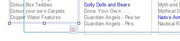
In my latest save, when I click on one of the five frames and make it shorter so the text doesn't fit it shows as a little red circle bottom right. I've just opened an old copy of the site and the image shows what I see on the frame in that version. If you hover over the little symbol it shows "Continued" which is what I'm after.
https://i.postimg.cc/Yv7pszsk/chat.jpg

Re: Flowing Text through 5 Text Frames

And this is what I see now which I'm trying to change
https://i.postimg.cc/Mc4NhWpR/chat2.jpg

Re: Flowing Text through 5 Text Frames

Not having used WPX7 in a very long time, I thought I’d better take a look at its text handling. I couldn’t see a way of linking frames, and I suspect that may have something to do with switching to HTML5.

“Welcome to the present moment. Here. Now. The only moment there ever is.”
― Eckhart Tolle

Re: Flowing Text through 5 Text Frames

Well I'm sort of there!
I opened my file set up in X4, lo and behold the frames were linked. Copied the five frames and pasted them into my latest X7 version and all working as expected except . . .
It's uploading the five frames of text which are flowing exactly as they should but as an image. So the finished product looks a bit fuzzy and of course there's nothing for Google to pick up now.
So all I've got to do now is see if I can get it to upload as text.

Re: Flowing Text through 5 Text Frames

If the upload process is giving you images, that must be what you pasted.

“Welcome to the present moment. Here. Now. The only moment there ever is.”
― Eckhart Tolle

Re: Flowing Text through 5 Text Frames

No, definitely text. This is what shows when you click export options:
https://i.postimg.cc/DmW8XSPq/alfred.jpg

Re: Flowing Text through 5 Text Frames

So it’s editable text within the program but it’s saved as an image when you publish? If that’s the case, you must be (perhaps implicitly rather than explicitly) telling WebPlus to do something to the text that precludes its being published as text.

“Welcome to the present moment. Here. Now. The only moment there ever is.”
― Eckhart Tolle

Re: Flowing Text through 5 Text Frames

I had to lift the flowing text frames from X4 and import into X7. As far as I can see, the facility for flowing text isn't available in X7. So, I have a feeling that by doing this is causing the problem.

Re: Flowing Text through 5 Text Frames

I did say that I suspected it may have something to do with switching to HTML5. If you want to publish searchable text from X7, I think you just have to create new frames and then copy and paste the text into them. That would mean moving lines of text around manually, but I can’t see any other way to do it.

I remember wondering why the flowing text feature was removed, given that it’s only relevant at design time (regardless of whether the output is HTML4.01 or HTML5).

“Welcome to the present moment. Here. Now. The only moment there ever is.”
― Eckhart Tolle