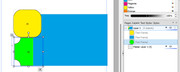
When I create the boxes using the default toolbar on the left, PagePlus calls them "Quick Rectangle". The textboxes it calls "Standard Text Frame".
As far as I can tell they aren't locked. When I right-click and choose Arrange, one of the choices is "Lock Objects".
I'm not using layers.
Oh--I think I've narrowed it down. I see that it's possible to unwittingly convert Quick Rectangles to Shaped Text Frames by inadvertently typing within them. Then the behavior happens apparently depending what the Shaped Text Frame is touching. I have an example that I just converted (on purpose), and if I slide it over to touch another Shaped Text Frame, it goes to the top and won't allow standard text frames to appear on top of it. But if I slide it away from any other Shaped Text Frame, it does allow standard text frames to appear on top of it.
I don't see away to deconvert Shaped Text Frames back to Quick Rectangles, but I can go through and recreate them, making sure not to inadvertently type within them. But just out of curiosity, is there a way to make these Shaped Text Frames allow standard text frames to appear on top of them even if they are touching another Shaped Text Frame?