Re: A lively discussion (about artwork for giclee prints from post 22)

William wrote:
William wrote:

Wednesday

What shall we discuss today?

If there are no other suggestions, giclée printing.

Now it is Thursday and here is a giclée print related puzzle, which is based on what I am doing. I have my solution, I wonder if others get the same.

...

Add a 3 mm bleed area at each of the four edges. What is that in pixels?

The question is part of the puzzle.

Re: A lively discussion (about artwork for giclee prints from post 22)

It has occured to me that the foolscap size of paper 13 inches by 8 inches that was common in the 1960s was quite close in shape to a golden rectangle, with its sides in the ratio 1:1.625 whereas the golden rectangle is 1:1.618..

https://en.wikipedia.org/wiki/Foolscap_folio

https://en.wikipedia.org/wiki/Golden_rectangle

https://en.wikipedia.org/wiki/Golden_ratio

Modern computer displays are often 9:16 and much modern paper is in A sizes  (for exampls, A3, A4 and so on0

So is paper with a golden rectangle shape available today?

Re: A lively discussion (about artwork for giclee prints from post 22)

William wrote:

So is paper with a golden rectangle shape available today?

I haven’t been able to find any such product online. You can easily work out how much to slice off the long side of an A-series sheet to increase the aspect ratio from 1:1.414 to 1:1.618, but if you want a half or whole ream of sheets you might want to try to find a local paper merchant who is willing to do the needful for a small fee.

“Welcome to the present moment. Here. Now. The only moment there ever is.”
― Eckhart Tolle

Re: A lively discussion (about artwork for giclee prints from post 22)

https://copilot.microsoft.com

[WJGO]

Please produce an A6 landscape png file.

[Copilot]

It seems like you're looking to create an A6 landscape-sized PNG file. I can't directly produce specific-sized image files or save them in PNG format for you, but I can generate an image based on your description, and you could adjust its dimensions later using image editing software or tools. Let me know what you'd like the image to feature, and we can get started!

What features can I add to the image?

How can I resize the image after it's created?

What tools can I use to create and edit images?

[WJGO chooses What features can I add to the image?]

[Copilot]

You can enhance the image with a variety of features depending on the theme or mood you're aiming for! Here are some ideas:

Background Elements:

Scenic landscapes like mountains, beaches, or forests.

Geometric patterns or abstract designs.

Soft gradients or textures for a minimalist look.

Foreground Details:

Incorporate text or typography, like inspirational quotes or titles.

Icons, symbols, or shapes to personalize the image (e.g., stars, flowers, or waves).

Objects relevant to your theme (e.g., books for a study theme, or tools for a DIY vibe).

Color Palette:

Vibrant and colorful for a lively tone.

Monochrome or muted colors for an elegant feel.

Seasonal palettes (e.g., pastel for spring, warm hues for autumn).

Art Styles:

Hand-drawn or sketch-like features for a whimsical touch.

Realistic imagery for a more grounded appearance.

Digital or futuristic designs for a tech-savvy vibe.

Decorative Features:

Borders or frames to outline the image.

Shadow effects to give depth.

Overlay patterns like polka dots, stripes, or grids.

Do you have a specific idea or concept in mind for the image? I'd love to help bring it to life!


Can you suggest specific examples for each feature?

How can I combine these features effectively?

What impact do different color palettes have on images?

30 (edited by William 2025-05-07 06:36:50)

Re: A lively discussion (about artwork for giclee prints from post 22)

William wrote:

Add a 3 mm bleed area at each of the four edges. What is that in pixels?

As my computer that has the Serif Affinity software on it is broken, quite possibly permanently, I am using Microsoft Paint to do what I can.

I wanted to have a 1024 pixel by 1024 pixel image on an A6 landscape canvas with a 3 millimetre wide bleed area on each edge.

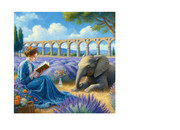
The image in the following post was used.

https://punster.me/serif/viewtopic.php?pid=4035#p4035

In Microsoft Paint one can adjust the width and height of the canvas.

Here are notes that I wrote as I proceeded.

I want a landscape A6 size.
A6 size    105 x 148 mm    4.1 x 5.8 in
1748 pixels by 1240
Height is 1240 pixels.
Subtract 1024 for the picture.
That is 216 pixels.
Distribute the 216 pixels according to the golden ratio with the larger part below the picture.
216 * 0.618 is 133.48 rounded down to 133. That number below the picture.
So 83 pixels above the picture.
At the left side, I need some white space, so use the square root of the product of the two golden ratio parts.
At the left side, the square root of 133 times 83, which is 105 pixels.
Width is 1748 pixels, so 1748 - 1024 - 105 which is 619 pixels.
So for the A6 landscape size, add 83 pixels above, 133 pixels below, 105 pixels at the left and 619 pixels at the right.
However, the artwork needs to include bleed areas.

Each bleed area of 3 mm is 35 pixels.
Width is 1748 pixels, so 1748 - 1024

So for the A6 landscape size plus bleed areas, add 118 pixels above, 168 pixels below, 140 pixels at the left and 654 pixels at the right.

So start by making the height 1024 + 168 which is 1192 and width 1024 plus 654 pixels which is 1678 pixels.
Then flip horizontal and flip vertical and make height 1310 pixels, which is adding 118 pixels which is correct, and make width 1818 pixels, which is adding 140 pixels, which is correct.
Then flip horizontal and flip vertical so that the result is correctly oriented


Supplementary note of Wednesday 7 May 2025

I am attaching a copy of the completed artwork. Please note the area of white space at the right. This is so as to give a sample of the paper without any printing on it. The particular image was chosen as it has a lot of blue in it.

I am today adding a post to this thread to link to this post.

https://punster.me/serif/viewtopic.php?pid=6938#p6938


https://i.postimg.cc/T5bbYw4w/artwork-for-samples.jpg

Re: A lively discussion (about artwork for giclee prints from post 22)

William wrote:

I want a landscape A6 size.
A6 size    105 x 148 mm    4.1 x 5.8 in
1748 pixels by 1240
Height is 1240 pixels.

Given that A6 size is defined in millimetres, I don’t understand why you’re working in pixels, which locks you into a particular document resolution. Be that as it may, 105 mm (4.134 in) is 1240 pixels and 148 mm (5.827 in) is 1748 pixels at 300 dpi.

1748 pixels by 1240

That follows the convention of stating the width first, but

A6 size    105 x 148 mm    4.1 x 5.8 in

does not.

“Welcome to the present moment. Here. Now. The only moment there ever is.”
― Eckhart Tolle

Re: A lively discussion (about artwork for giclee prints from post 22)

I overlooked the ‘perms’ discussion on the first page of this thread. As William pointed out, they’re really combinations rather than permutations.

But back to the football pools "PERM".
How do we get 165 from 8 out of 11?
Not knowing from the football pools application but from the maths classes, it is something like, eleven choices times ten choices times nine choices times ... four choices, divided by one times two times three times ... eight.
So lots of them cancel out, leaving eleven times ten times nine, divided by one times two times three.
So what is that?
Changing ten divided by two to five, and changing nine divided by three to three leaves eleven times five times three.
So eleven times fifteen.
Thirten squared is 169.
Thirteen minus eleven is two.
Two squared is 4.
169 - 4 = 165
How about that! Yay!

More simply, “eleven times ten times nine, divided by one times two times three” is 990 divided by 6, which is 165.

In general terms, the number of combinations of r results from n football matches is

n!/r!(n - r)!

which for 8 from 11 is

11! ÷ (8! × (11 - 8)!)

or

11! ÷ (8! × 3!)

i.e. (11! ÷ 8!) ÷ 3!

which equals

11 × 10 × 9 ÷ 6

“Welcome to the present moment. Here. Now. The only moment there ever is.”
― Eckhart Tolle

Re: A lively discussion (about artwork for giclee prints from post 22)

Alfred wrote:

1748 pixels by 1240

That follows the convention of stating the width first, but

A6 size    105 x 148 mm    4.1 x 5.8 in

does not.

That is because if I am producing any artwork that requires a calculation I tend to have a WordPad file open and make notes as I go along.

So I started this artwork-producing session by finding the size of A6 on the web and doing a copy and paste of the line of text as presented on the web page from which I gathered the information.

Then I went forward applying that information.

As I only had Microsoft Paint available I knew that what I needed to do was open the image file, save as a png and then add white space at each side and then save.

So I calculated the values that I needed, then applied those results to produce the artwork.

Re: A lively discussion (about artwork for giclee prints from post 22)

William wrote:

I started this artwork-producing session by finding the size of A6 on the web

I’m afraid I started by making the unwarranted assumption that you calculated the dimensions yourself, based on the knowledge that A4 is 297 mm by 210 mm and that halving those dimensions and rounding down to whole numbers will give you the A6 dimensions 148 mm by 105 mm.

“Welcome to the present moment. Here. Now. The only moment there ever is.”
― Eckhart Tolle

35 (edited by William 2025-05-07 06:49:03)

Re: A lively discussion (about artwork for giclee prints from post 22)

I have added the finished image to the following post that is earlier in this thread.

https://punster.me/serif/viewtopic.php?pid=6866#p6866

Upon trying to get back a copy of the artwork, so as to find out if any interested reader could gather a copy, I found that the file that I got back was a jpg file and not a png as was uploaded.

Yet the original image output from the AI program was a jpg file.