Topic: PPX9 - Characters not supported by their font
Is there a way of finding the offending characters and removing them?
An independent forum site for members of the Serif software community
You are not logged in. Please login or register.
Automated signup has been disabled for these forums. If you wish to register, please send an email to admin[at]punster[dot]me stating your preferred username.
Embedded images: Click on the  Add image to post link below the message box. Your photo will be uploaded to the postimage website and then shared here via a thumbnail link. Click on the thumbnail for a larger view.
Private messages: There is no pop-up alert for new PMs on these forums, so you need to look out for the PM link (near the top right-hand corner of any forum page) becoming bold.
Alfred's Serif Users' Forums → PagePlus → PPX9 - Characters not supported by their font

Is there a way of finding the offending characters and removing them?

Sandy, type your question into the PagePlusx9 help. The answer will pop up: use the Resource Manager to locate the offender.
Hi Tom and thanks for the reply, but not wholly understood?
In the Index there are the forums listed and I posted on the PagePlus forum, which I thought was the way to go..?
Where do I go to find PagePlusx9 help?
BTW - I have looked in Resource Manager (RM), but nothing found so far. I'll go back in RM and have another look.
Sorry, Sandy, I meant in the PP program itself.

Hi Sandy,
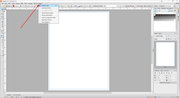
Try Tools/Resource Manager/Fonts. This will show the unsupported items, and the Locate button will find them for you.
You may find that those characters are just not supported by the font you are using. Depending of course on what they are, you may be able to solve the problem by changing the font, if not for the whole text, just for those particular characters.
Geoff
Got it Tom - found in Text Manager, a tiny, tiny error.
In Text Manager I found the error, then clicked 'Display'; but it was sooo tiny that nothing seemed to display. So, I finished up copying the page to a blank publication and then by a process of elimination deleted bit by bit until only the error was left on display in Text Manager, BUT I still could see nothing! I then put a selection around what appeared to be a blank page, and low and behold there it was the size of a sewing needle point. Deleted and publication now back to normal.
Cheers, Sandy
Hi Geoff,
Missed your reply while getting back to Tom.
Thanks for your input too - all sorted.
Sandy
Alfred's Serif Users' Forums → PagePlus → PPX9 - Characters not supported by their font
Powered by PunBB, supported by Informer Technologies, Inc.