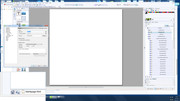
If you view the source code of a blank page the only meta tags you will see are:
<meta name="generator" content="Serif WebPlus X8 (16,0,4,32)">
<meta name="viewport" content="width=960">
<link rel="stylesheet" type="text/css" href="wpscripts/wpstyles.css">
Which means all other meta tags are dependent on information you enter within Site and Page properties
You can remove the Webplus meta in Site properties > HTML Header and uncheck the "Include software name ....."
You can edit css for virtually everything and you can add your own css file which will overwrite the Webplus css.
You can add new meta tags via HTML Fragments.
You can dynamically change and add new features and behaviours with javascript and jquery.
Before anything, get a good grasp of the basics, use the Webplus help, and practice on a test site.
Somewhere over the rainbow, weigh a pie ...