

Topic: image leakage?
See image below and attached AfPub file. Basically there's a transparent topmost rectangle, which contains an opaque rectangle whose lower left corner coincides with that of the container, and also contains an image below the inner rectangle. This is AfPub 2.6.4 on Windows 10.
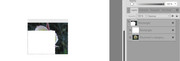
The positions of the lower left corners have been entered using the Transform panel.
Preview mode is enabled.
The image layer has been enlarged so that extends outside the container on the bottom and left.
Thus the lower left corner in the image should show nothing -- the image is cropped by the container, and the entire lower left corner is obscured by the inner rectangle.
However, as seen in the image, a bit of the image is leaking. I know it's the image, not a border, because if I reposition the image so that lighter colors are beneath the cropping rectangle, the color of the leakage changes.
Of course, the intermediate rectangle is important here. Without it, a tiny expansion of the image would not be noticed.
The phenomenon is sometimes fugitive. In this case, changing the view zoom level may cause the leakage to appear both left and below, or just one or the other, or not at all. The same applies to an exported PDF being viewed in Foxit PDF Reader. (I haven't tried other PDF readers.) If it shows on screen, it's pretty certain that it will show in print, perhaps because the lower resolution on screen allows it to hide between pixels.
Can anyone explain to me what's going on? Is it a bug? I'm well aware of the issues with imprecision in "real" number representation -- I learned that in 1966, in my first programming course. I don't know in what units Affinity stores the X and Y positions internally. Still, if that's the issue, I would think that programmers would have been dealing with it since the earliest days of graphics software.
Or if not an explanation, a better structure? I know from experience that it works to move the intermediate rectangle so that its corner is outside the container, but that's a kludge.
Background: I've been using the picture frame + caption described by Jeremy R at https://forum.affinity.serif.com/index. … be-blind/. (I have made sure that thread is archived in the Wayback Machine.) I used it for about 30 images in a newsletter last February, and had to look carefully at the proofs and make adjustments to eliminate these lines that were appearing in many cases. I have an expanded write-up of Jeremy's instructions, which I want to post to help people (like me) who need significant time to understand the original. I'm just about ready -- I even have an assets file to go with it -- but I'd really like to modify the technique to address this issue. I've presented it here using plain rectangles rather than picture frames just to rule out picture frame features as the cause.
Edward