Topic: Add Brushes
Good evening to all.
I have installed the new Affinity program (ver 3) but sadly I cannot find how to add/import my brushes to the panel. Has anybody got the answer to this please. Thank you Vicki (and John)
An independent forum site for members of the Serif software community
You are not logged in. Please login or register.
Automated signup has been disabled for these forums. If you wish to register, please send an email to admin[at]punster[dot]me stating your preferred username.
Embedded images: Click on the Add image to post link below the message box. Your photo will be uploaded to the postimage website and then shared here via a thumbnail link. Click on the thumbnail for a larger view.
Private messages: There is no pop-up alert for new PMs on these forums, so you need to look out for the PM link (near the top right-hand corner of any forum page) becoming bold.
Alfred's Serif Users' Forums → Desktop Questions (Photo/Designer) → Add Brushes
Good evening to all.
I have installed the new Affinity program (ver 3) but sadly I cannot find how to add/import my brushes to the panel. Has anybody got the answer to this please. Thank you Vicki (and John)
I noticed some tutorials (help articles) being posted on Discord yesterday, but cannot find any today (things move too fast over there). I have asked where these files can be found and will post a link here later, if I get to know where they are. I am pretty sure there is one for those of us moving from V2 to Affinity Studio.
Just noticed that some of the help tutorials have been posted here: https://creofora.com/forum/index.php?th … -v3-links/
CreoFora is another third party forum dedicated to Affinity that complements Alfred's forum quite nicely.
Just noticed that some of the help tutorials have been posted here: https://creofora.com/forum/index.php?th … -v3-links/
Thanks, Ali. Here’s a direct link to the new Affinity online Help: https://affinity.studio/help
Thank you everybody. It was late last night when I could not find how to it. But in the cold light of a new day I have found how to do it along with adding my palettes. Its just going to be taking a bit of time to get used to the new program. Good day to you all and thank you once again. Cheers Vicki(and John)
Could you please share how for the benefit of others who might find this thread in future?
Ali, I had to open the panel menu to view the swatches panel and the is an upward v in the brushes panel which I missed last night
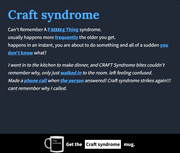
As I am almost 80 I think its probably an age related problem...CRAFT syndrome. Cheers Vicki
TwoLane, fortunately I have all my saved assets on an external hard drive including the 3 of version 2 of the program. Learnt the hard way when Serif remove all my downloads a few years ago
Could you please share how for the benefit of others who might find this thread in future?
Easily found via the online Help page that I mentioned earlier:
https://www.affinity.studio/help/addons … ing-addons
On the Brushes panel or Path Brushes panel, select Import Brushes from the Panel Preferences menu.
Valid file types are *.afbrushes (Affinity) and *.abr (Adobe Photoshop).
Easily found via the online Help page that I mentioned earlier:
Isn't this a little bit like RTFM?
As I am almost 80 I think its probably an age related problem...CRAFT syndrome.
Advanced Crafter Syndrome: What You Need to Know
Easily found via the online Help page that I mentioned earlier:
Isn't this a little bit like RTFM?
Perhaps more like a lottle bit than a little bit!
Pioneer wrote:As I am almost 80 I think its probably an age related problem...CRAFT syndrome.
ROFL!
Alfred wrote:Pioneer wrote:As I am almost 80 I think its probably an age related problem...CRAFT syndrome.
ROFL!
Alfred's Serif Users' Forums → Desktop Questions (Photo/Designer) → Add Brushes
Powered by PunBB, supported by Informer Technologies, Inc.