Topic: seed envelope in Pageplus or draw plus

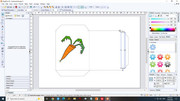
I`m making seed envelopes using several quick retangles to get the shape  i want . I do intent to put some information and pics in there as well and want to keep just the outline of the boxesfor cutting out . is there a way to delete the lines on the inside ?

Re: seed envelope in Pageplus or draw plus

After you have made the outline of the envelope, you can create a narrow rectangle with white lines, and drag that over the lines you don't want to see, and the lines are covered by white ( or the background colour if you have one). Hope I understand what you want to do.

https://i.postimg.cc/CBWdQFwh/seed-envelope.jpg

3

Re: seed envelope in Pageplus or draw plus

is there a way to delete the lines on the inside ?

Yes. You can convert the quick rectangles to curves, then break the "curves" at nodes and remove the isolated parts.

Credendi non mutant facta

4 (edited by Bookworm 2026-09-07 14:17:32)

Re: seed envelope in Pageplus or draw plus

Excellent ideas. Thankyou very much. I  remember using some white boxes in the past. I`ll try the curves idea.

Re: seed envelope in Pageplus or draw plus

If you Boolean ‘add’ two or more overlapping shapes, the result will be a single shape with a complex outline. You can then apply a stroke to the new shape and remove its fill.

“Welcome to the present moment. Here. Now. The only moment there ever is.”
― Eckhart Tolle

6 (edited by Bookworm 2026-09-08 15:42:47)

Re: seed envelope in Pageplus or draw plus

Not sure how to do that Alfred ? how do you apply a "stroke" I do the outline in 2p black and I need to keep this for cutting out ( I`m superimposing  a transparent pattern to the overall seed packet )
I have  discovered another way . I accidently converted the combined images to a picture instead of curves and was able to remove the inside lines in the cutout studio after  a few messy attempts.

Re: seed envelope in Pageplus or draw plus

I managed to do what you sugested Alfred . I lasooed all the shaped together went to the arrange tab , joined outlines, add and I have the shape I need . I cant put it on a solid pattern background and keep the outline but as my patterns are tranparent the lines show throught well enough to cut. Another learning curve. Thankyou all so much for your help .

Re: seed envelope in Pageplus or draw plus

Oh i have just discovered that I CAN have the outline on a solid pattern by using the bricks and tiles swatch and choosing no pattern what a wonderful program this is .

Re: seed envelope in Pageplus or draw plus

Bookworm wrote:

Oh i have just discovered that I CAN have the outline on a solid pattern by using the bricks and tiles swatch and choosing no pattern what a wonderful program this is .

Thanks for the updates! It’s good to know that you managed to achieve your goal.

“Welcome to the present moment. Here. Now. The only moment there ever is.”
― Eckhart Tolle