Skip to forum content
Alfred's Serif Users' Forums
An independent forum site for members of the Serif software community
You are not logged in. Please login or register.
Active topics Unanswered topics
Tips and Announcements
Automated signup has been disabled for these forums. If you wish to register, please send an email to admin[at]punster[dot]me stating your preferred username.
Embedded images: Click on the  Add image to post link below the message box. Your photo will be uploaded to the postimage website and then shared here via a thumbnail link. Click on the thumbnail for a larger view.
Private messages: There is no pop-up alert for new PMs on these forums, so you need to look out for the PM link (near the top right-hand corner of any forum page) becoming bold.
HAPPY NEW YEAR!
Search options (Page 2 of 2)
Geoff
Thanks for that reassurance. I had looked at ‘Preferences’ and in the Manual but could not see anything. It was just that if there are two ways to do anything, I will normally find the longest or hardest.
Probably what was the most annoying was that I seemingly could not change the font colour. The background was dark and the font was black so sometimes when you try to place the cursor over the phrase just typed to change the colour, quite often I sometimes only managed to select a part of the phrase. Never mind!
George
I created a Title Template in Photo Plus X5 for a Movie I was editing in another Program. The idea being was that then all I had to do was create a new one line title for each scene. (In case I needed to go back, each title was on a different layer.)
However for each scene title, Photo Plus created it in black, Times New Roman and 12pt, so each time I had to change everything to white and different font (Amhurst SF) and size, 72pt and Bold.
Was there a way that I could have set this up from the start of this exercise and so avoiding the changing of four areas for over twenty titles?
Thankyou. I got there in the end although following your instructions it took me quite a few attempts to achieve.
What I had been doing wrong it seems was to put the border in first and then attempt to add an image in the middle. Finally the penny dropped and work on the middle image first and then everything works.
Many thanks. Cannot guess at how many attempts I have had.
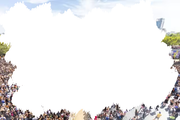
Years ago, actually watching a Photoshop Tutorial, I saved a number of creative ‘shapes/masks/paste into’ shapes as png files that I thought would come in handy (example attached 01). Recently re-discovered and I am now trying to make use of them.
Because the outside area is transparent, I duplicate the mask layer and then can add a photo in between that to get an image covering the border (example attached 02).
But at the moment I cannot work out how then to get a different image within that original inside black area. Anyone any thoughts please?

Wanting to look up the (now old) Serif Forum to see if there were any possible solutions to my query, I have only just discovered that the old Forum is no more.
So thankyou Alfred for this new Forum. I do actually use Photo Plus and have tended to stay with (X5) as my go to photo editing program. So looks like I will be posting the first question.
Posts found: 26 to 30 of 30