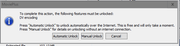
Having read Albert Ross's piece, I would suggest an added level of security of transfer would be to create the .reg file using the .bat as advised on the Serif Legacy page as this appears to contain much more information than the .mfu file (in my case, 584 bytes vs 85) and then executing it on the new machine after all else has been done. I know this works on Win7 to Win10. The .bat file does not appear work on XP.
Note that the .reg file tells you where to look for available features. If you dare, open the registry at this location on the old machine, capture the screen and save as a .jpg. Open the registry at the same place on the new machine and it should look the same. Note also that nearby is the location of the registration key.
Remember that if you edit the registry, a complete restart is required for the contents to be recognised. Take care and back-up before editing. I would recommend the Win7 complete partition image backup.